17.07.2026
20 min
Top 10 Fireflies Alternatives Tested and Compared for 2026
By Sanduni
Growth Content Editor

The best Fireflies alternatives in 2026 are as diverse as they come; ranging from completely free note-taking apps to full-fledged meeting intelligence tools, and the one that is right for you will depend upon what drove you away. Did your AI credit limits exhaust themselves before the end of your monthly billing cycle? Is a visible bot dropping into your calls by default, joining every meeting on your calendar? Are your meetings stored on servers located within the United States? This guide reviews all ten options, including cost, where your data is stored, and what each does best, so you can switch with confidence.
Want AI meeting notes without watching a credit counter?
Ask AI, summaries, and templates all run, with no per-use credits. Your data stays in Europe, and no bot ever joins the call.
What are the best Fireflies alternatives in 2026?
Based on my research and experience, the best Fireflies alternatives in 2026 are Jamie, Otter, Fathom, Read AI, Gong, Avoma, MeetGeek, Plaud, Krisp, and Sembly.
For a quick side-by-side of all ten, start with the full comparison table just below. It gives you the summary at a glance, and every cell expands, so if you want the detail behind any answer, just click to open it.
1. Jamie
A generous free plan and a generous paid plan
With Fireflies, you might have felt like your AI token usage vanishes out of nowhere, as Spencer B. mentions below.
"Forced AI token usage for summaries," Spencer B., Founder/CEO, April 22, 2026 (Capterra)
Of course it would, when everything costs AI tokens.
In the free plan, you only get 20 AI credits per month for AskFred, Soundbites, and AI Skills. But as your productivity increases, your credits and usage increase too, and so do the tokens, and who is keeping count? Fireflies sure does.
Here's how Jamie's free plan gives you a little room to use it at your own pace, with no AI tokens following you around like a ticking time bomb.
We provide 10 meetings for you on the free plan. Each meeting is limited to 30 minutes, so try to keep it under 30 minutes or it will get locked. But if it is captured under 30 minutes, and you manage to stop Jamie before the time runs out, here is everything you get to enjoy.
Jamie's AI summaries: you get to choose between extensive and brief

They are personalised to you too. You have a personalisation section in the settings. You can introduce yourself and what you do for work, and the summaries are generated in a way that makes sense to you. And yes, it is in the free plan as well. No AI tokens needed for that.
Jamie's transcriptions are speaker-labelled, time-stamped, and editable
Jamie's transcription is also in the free plan. You can easily copy and paste it; there is no restriction. No paywall stopping you from copying a transcription. We do not want you to feel locked out of your own free account to the point that you cannot even see your own transcription on your free plan.
Jamie's speaker identification identifies speakers even in in-person meetings, and remembers them for future meetings, so you won't have to identify them manually

- Speakers are identified for you, so you will not have to work out who said what. Most of the time, they are already labelled, and even if they are not, Jamie gives you a small voice clip of each speaker so you can listen and label each one. And the most fun part is that Jamie remembers those speakers for you. Jamie has an intelligent feature called Speaker Memory: it memorises the accents and voices of your speakers, so the next time you meet the same people, you will not have to identify them again.
- Jamie can also transcribe the meeting in the original language you spoke, and yes, this is in the free plan too. You do not need to upgrade for any of what I am telling you here. The transcript keeps the original language each speaker used, while the summary is written in the language spoken most in the meeting.
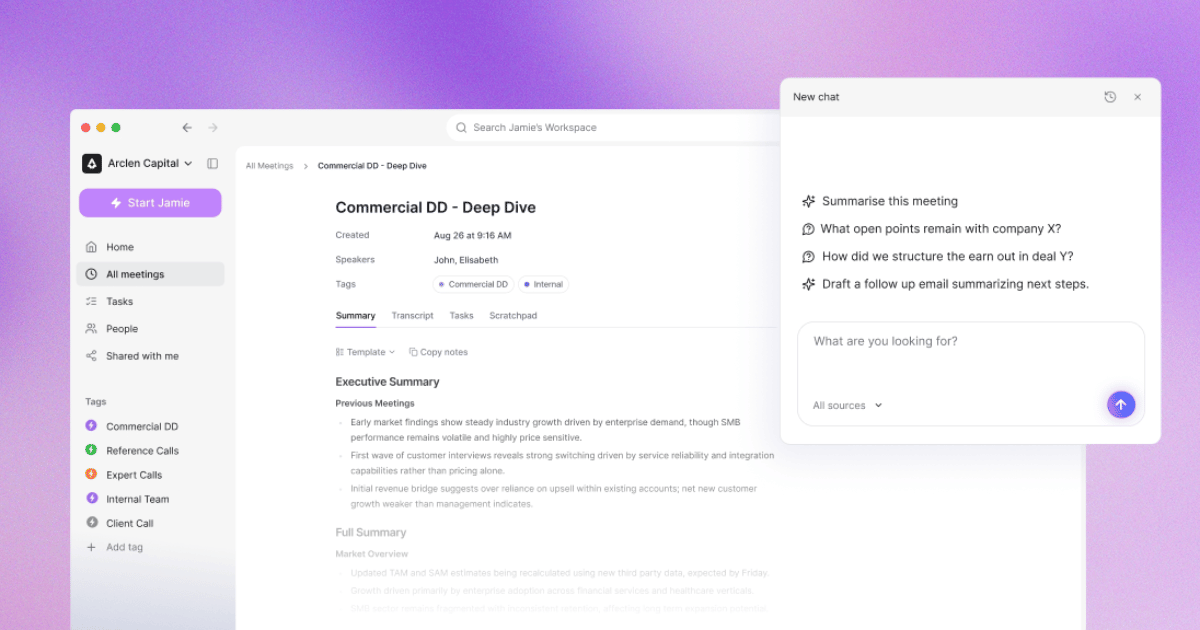
Jamie's Ask AI is free and unlimited; you can query back and forth until you get what you want without a worry
"I don't like how Fireflies uses an AI credits system" Alex N., Owner (Capterra)
We hear you, Alex. That is why our Ask AI is unlimited. You can chat about your meetings all day. And yes, it is in your free plan too.
Jamie's action items are free, interactive, and they actually know who they belong to
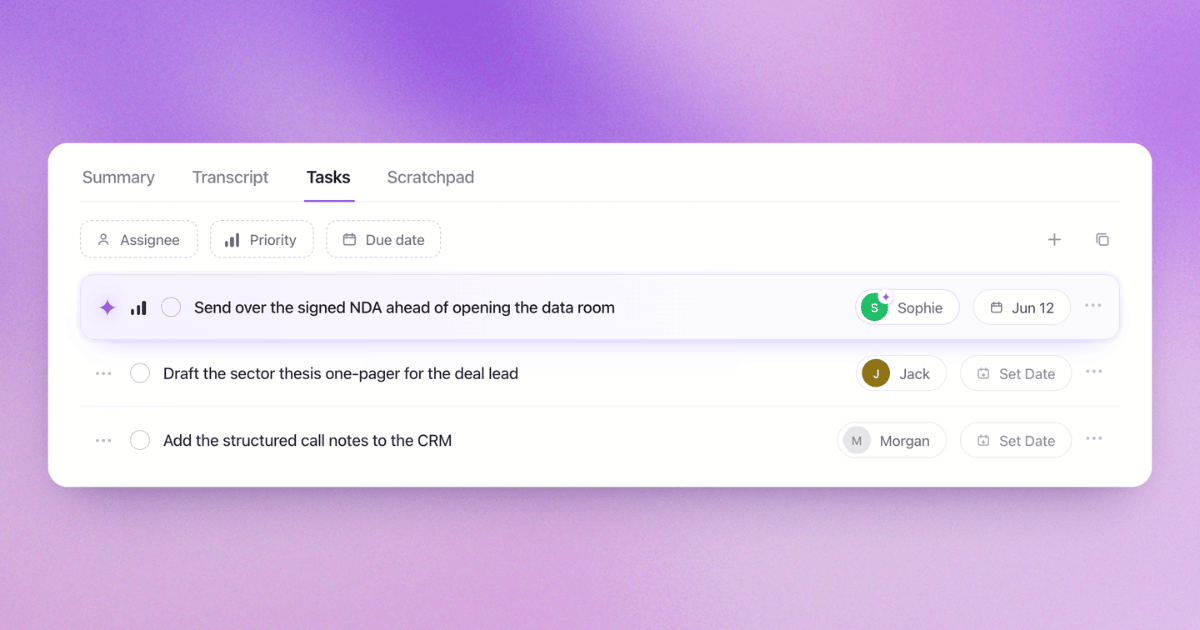
Jamie has an intelligent system built in that assigns action items to the relevant speakers automatically after the meeting ends. You also have the ability to manually:
- tick them off as you finish them
- send them straight to working apps (integration functionality)
- add due dates
- set priority levels so you know what to tackle first
- and on the rare occasion it misses one, you can do it by hand
Fireflies AI Skills that cost you credits VS Jamie's Ask AI and Templates
It's like a prompt you provide to an Ask AI assistant, but it works per meeting, and you choose what type of output you need. And it costs your AI credits.

The output looks like this.

With Jamie, you can do the same thing, but you can talk with your Ask AI about it. And it will provide an answer similar to this or better, and you can keep talking to the Ask AI without worrying about the cost of credits draining you down. Because it's unlimited chatting.
Let's test that, shall we? Let's use the same prompt

I am going to click the edit button and see what prompt they used to create this AI skill.
The Fireflies AI Skill editor showing its single prompt: Review past campaign performance and suggest areas for improvement.
There it is,
Review past campaign performance and suggest areas for improvementI will now go back to Jamie's Ask AI, and use this same prompt on the same meeting it used to extract the information from and see what we get from Jamie's Ask AI, which I want to emphasize again, is a free and unlimited chatting experience.

We are now in the same meeting note inside Jamie's application with the Ask AI opened. You can also see that I have mentioned how intelligently Ask AI notes down that we are about to query information regarding this meeting's information particularly.
Now, let's ask the following prompt and see what we get. As you can see it intelligently went through not only the current meeting but overall past campaign performance and checked for room for improvement, all drawn from my team's meetings.
I had to blur out meeting context as they are private and confidential information.
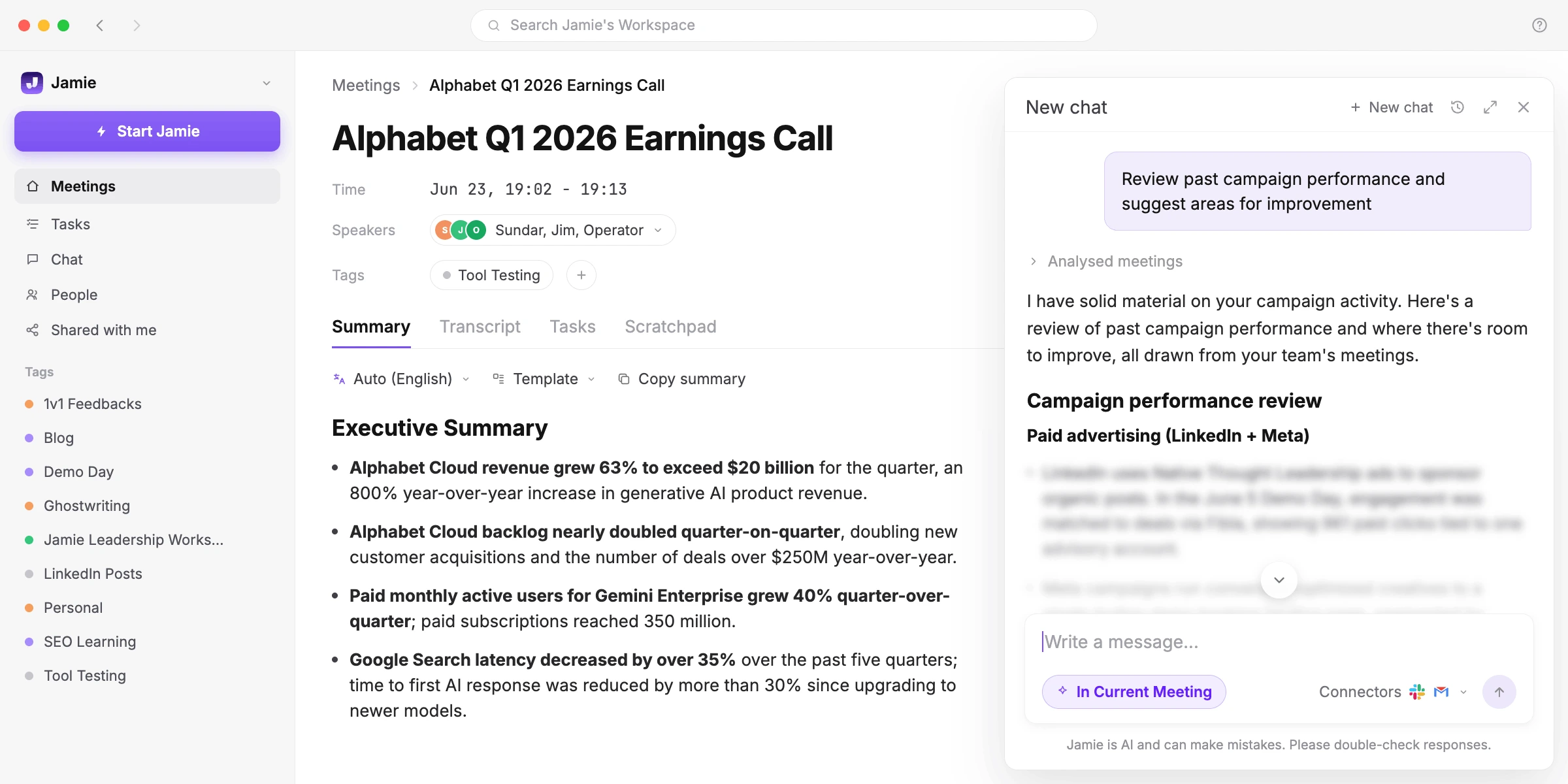
However, I was very curious as to why Jamie did not pull out anything from the current meeting. Though we do have to take the prompt's meaning to heart, "Review past campaign performance," and Jamie did do that.
I did question Jamie's Ask AI:
What about anything in the current meeting we are looking at?...indicating the "Alphabet Q1 2026 Earnings Call", and the reply I got surprised me in a very positive manner.

Jamie understood that no information could be tied back to any campaign related to Jamie. But without merely stopping at that, it continued to explain how the marketing campaigns could be affected because of Google's impact.
A small disclaimer, Fireflies did have very little meeting data to work with when I used the AI skills to show you an example. Something I need you to keep in mind as I need this to be an honest comparison between Fireflies vs Jamie.
My point was, though, AI skills used credits that could burn your credits, credits that are being used on not just AI skills, but on
- Personal Assistant
- Magic & keyword soundbites
- Custom summary sections
- Voice Agents
- Sales Assist
- Slack Assistant
- Autofill CRM
- AskFred on Live Assist
- Daily Digest
And on each plan, you have to maintain these credits carefully; they are not unlimited.
- Free: 20 AI credits on sign-up
- Pro: 20 AI credits
- Business: 30 AI credits
- Enterprise: 50 AI credits
When our free plan's Ask AI can get you the same AI skill's output much better and smarter for free and you can converse without a limit in mind.
Now you must be thinking, the skills auto runs per meeting. How can Ask AI's prompts run in every meeting?
Of course, it cannot; that's why we have templates. AI Skills is kind of like Jamie's templates, and you will see why.
Jamie's templates and Skills do what Fireflies charges credits for
A Fireflies AI Skill is one prompt. You write a single instruction, like "Extract key performance metrics and insights discussed during campaign review meetings," and that one instruction is the entire skill.

A Fireflies AI Skill costs at least 1 credit per meeting.

Fireflies charges more for more complex skills, because credits are billed by the complexity of each request.
Jamie has two types of tools for creating and applying your meeting templates: Templates and Skills. Neither one will ever charge you a credit.
Jamie's Templates are built from many prompts. You construct a template section by section, and each section carries its own instructions for what to capture.

Jamie applies the best-fit template to your meeting automatically once it ends. Jamie reviews which of your templates most closely matches the meeting content, then applies it.

Templates cost no credits.
Jamie Skills are your personal instructions, written just once. When you want to apply one in an agent chat, Jamie runs it.
Skills cost no credits.
BANT is another one of Fireflies' credit-charging AI Skills. The BANT qualification checks a sales call for Budget, Authority, Need, and Timeline.

Jamie gives you the exact same BANT qualification as a free Skill. Both qualify a call on Budget, Authority, Need, and Timeline, and both end with a verdict and a follow-up question. The difference is that Jamie does it without spending a credit.

You can have Jamie post that result straight into Slack. Jamie's Ask AI searches and posts to Slack through its Slack connector, with no credits.
However, Fireflies charges you credits for its Slack Assistant.
Jamie's Ask AI is free and unlimited on every plan.

Jamie's Slack, Gmail, and CRM connectors are included on the Pro, Team, and Enterprise plans, and none of them cost a credit.
Let's say you have five sales calls each week and run one Skill on each. That is 5 credits a week.
That comes to 20 credits over a month.
Which is exactly what the Fireflies Free plan gives you: 20 AI credits.
So one Skill on five weekly calls uses up all 20 free credits in a single month, with nothing left over.
And on the Free plan, you cannot buy more. Extra AI credits are a paid add-on, available only on paid plans.

Source: Fireflies
So once your 20 free credits are gone, your only option is to upgrade.
Even then, upgrading does not make credits unlimited. Pro includes 20 credits at $10 per seat per month, Business includes 30 credits at $19 per seat per month, and Enterprise includes 50 credits at $39 per seat per month, billed annually.

Source: Fireflies
Enterprise is the most expensive plan, and it still caps you at 50 AI credits.
When even those credits run out, you buy AI credit packs on top of your plan.
Fireflies AI credit packs cost $5 for 50 credits, $20 for 200 credits, $90 for 1,000 credits, and up to $600 for 10,000 credits.

Source: Fireflies
These packs are billed monthly, renew automatically, and any credits you do not use expire at the end of the cycle.
If you run out mid-cycle, Fireflies automatically upgrades your credits and charges you to keep things running.
Your Fireflies credits are not spent on Skills alone. Credits are also spent on AskFred, Soundbites, custom summary sections, Voice Agents, Sales Assist, the Slack Assistant, Autofill CRM, and the Daily Digest.

Source: Fireflies
Every one of those features pulls from the same credit balance.
So the more you use Fireflies, the faster your credits drain, on every plan, including Enterprise.
Jamie runs the equivalents for free. Jamie's Briefings do the work of Fireflies' Daily Digest, Jamie's Skills do the work of its AI Skills, and Jamie's Ask AI does the work of its Slack Assistant, all with no credits.

With Jamie, you never watch a credit counter, because Jamie has no credit system on any plan.
Your summaries, transcripts, action items, templates, Briefings, and Ask AI are free on Jamie's free plan. Jamie's Skills and connectors sit on the paid plans, and they cost no credits either.
A private, secure AI note taker that keeps your data in Europe
For most teams, the biggest reason to look for a Fireflies alternative comes down to where their meeting data actually lives, and who gets to process it.
Fireflies stores and processes that data in the United States.

Source: Fireflies
"your data is stored and processed in Fireflies' secure cloud infrastructure in the United States (AWS and GCP)." — Fireflies data-storage docs
With Fireflies, EU data residency is an Enterprise-only add-on, and even then it only changes where your data is stored, not where it is processed.

Source: Fireflies
"Your data will be stored in the EU, but processed in the US." — Fireflies data-storage docs
So no Fireflies plan keeps your meeting data fully inside Europe.
Jamie, by contrast, was built and hosted in Europe for exactly this reason.
Jamie keeps all storage and all processing inside the EEA, Switzerland, and the UK. Your data never leaves these jurisdictions, on any Jamie plan, including the free one.

This is not an Enterprise upgrade. It is how Jamie works for everyone.
Jamie is ISO 27001 certified, the international standard for information security management.
Jamie is DORA compliant, which meets the requirements financial institutions place on their technology providers.
Jamie never uses your data to train AI models, and neither do its model providers.

Jamie deletes your meeting audio after it is transcribed.
If you need a Fireflies alternative that keeps your meetings in Europe, this is it: storage and processing both stay in the EEA, Switzerland, and the UK, and your data never leaves.
Capture every meeting without a bot joining the call
By default, Fireflies sends a visible bot into your meeting.

Source: Fireflies
"It appears as Fireflies.ai Notetaker and may request permission if you're not the host." — Fireflies docs
Connected to your calendar, that notetaker auto-joins your calls.

Source: Fireflies
Fireflies does offer bot-free recording, but only if you switch to its desktop app or Chrome extension.
Jamie takes a different approach: there is no bot, in any mode.
Jamie records from your own device, so nothing ever joins the call and no participant appears, on every platform, online, hybrid, and in person.
Without a bot, your meeting stays a natural, human conversation, just you and the people you are meeting with, while Jamie takes care of the notes.
Jamie is built consent-first, and it helps you keep every meeting transparent.
Always let your participants know you are recording, and let Jamie tell them for you: switch on the Recording notice, and Jamie emails your attendees 24 hours before the meeting to say you will be taking notes with it.
You stay responsible for consent, and Jamie makes being upfront about it effortless.
Jamie can also handle recording hands-free, still without a bot (beta, on the Windows desktop app).
- Open the Jamie desktop app
- Go to Settings → Preferences
- Under Meeting Automation, toggle Automatically start Jamie on

Jamie starts recording when your microphone goes active during a meeting in your calendar.
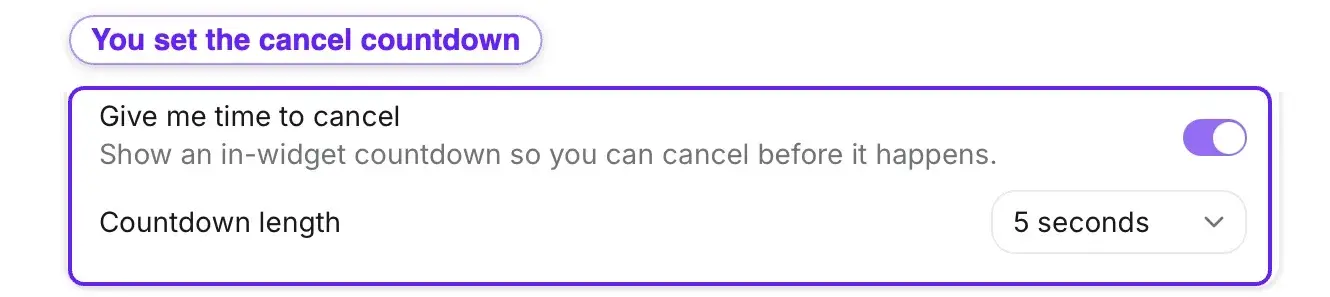
Before it starts, Jamie shows a countdown in the widget so you can cancel, and you choose how many seconds you get.
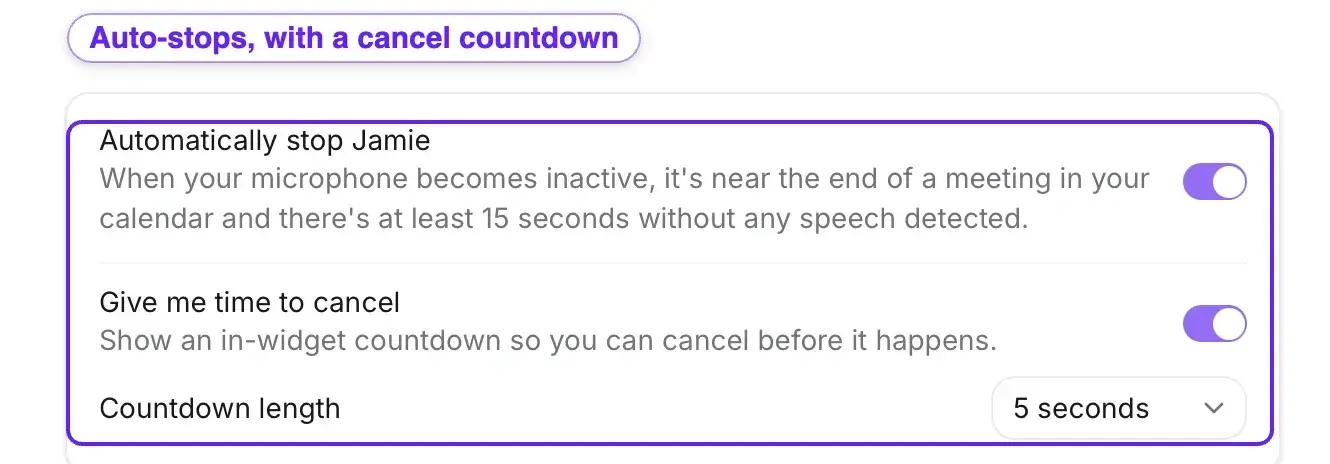
Jamie can stop on its own, too, once your mic goes quiet near the end of the meeting, again with a cancel countdown.
So recording is automatic when you want it, always with you in control, and never with a bot.
If a bot auto-joining your calls is why you want a Fireflies alternative, Jamie never brings one. It keeps your meetings human, and your recording consented.
Get every meeting into your CRM and work tools, automatically and credit-free
All your meetings should be pushed into your CRM (and your team's work systems) immediately, without burning up your AI credits.
On Fireflies, though, pushing a meeting into your CRM costs a credit. Autofill CRM runs on the same AI credits that power everything else.
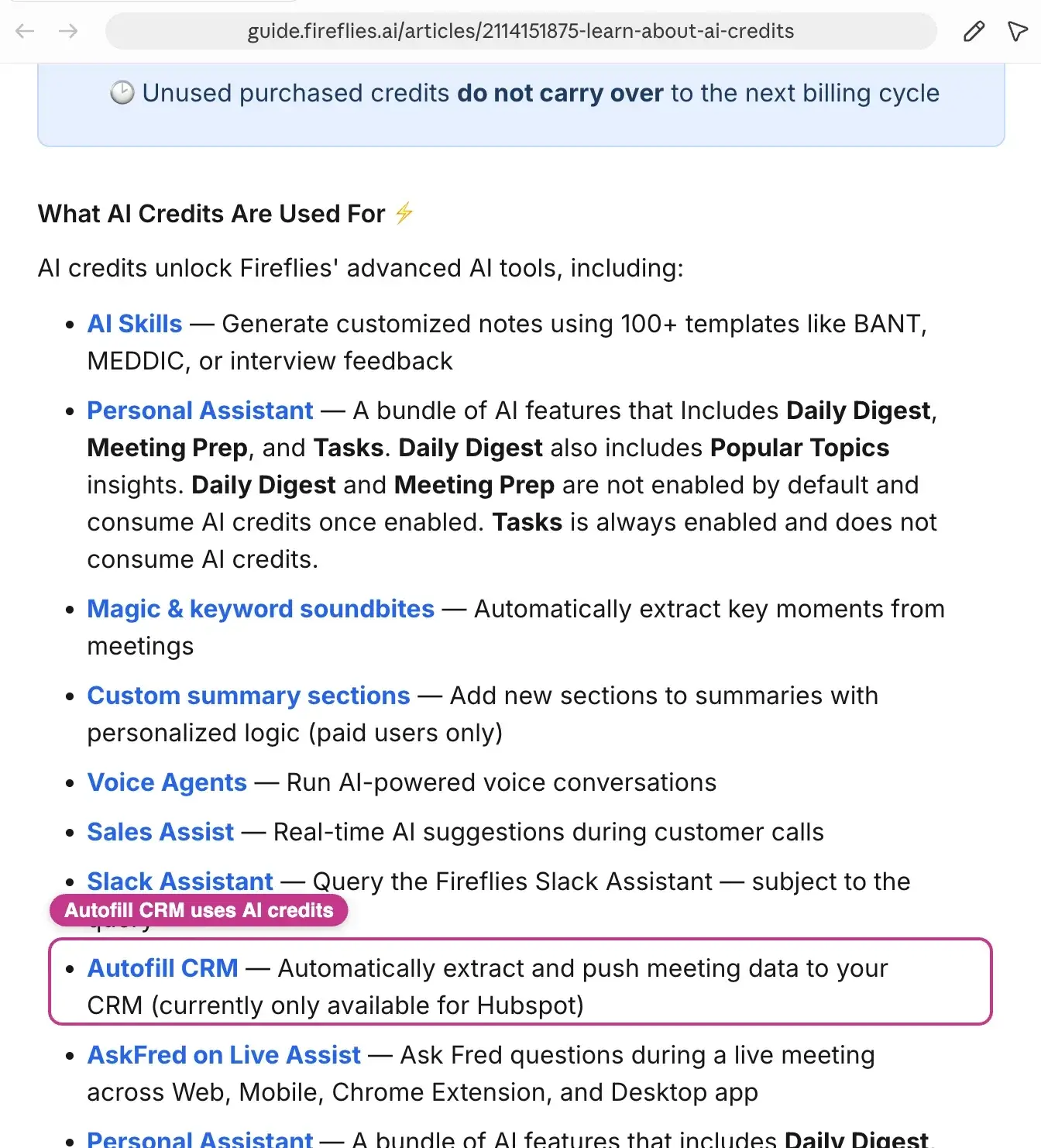
Source: Fireflies
Jamie's connections allow users to add their meetings to CRM records without spending a credit.
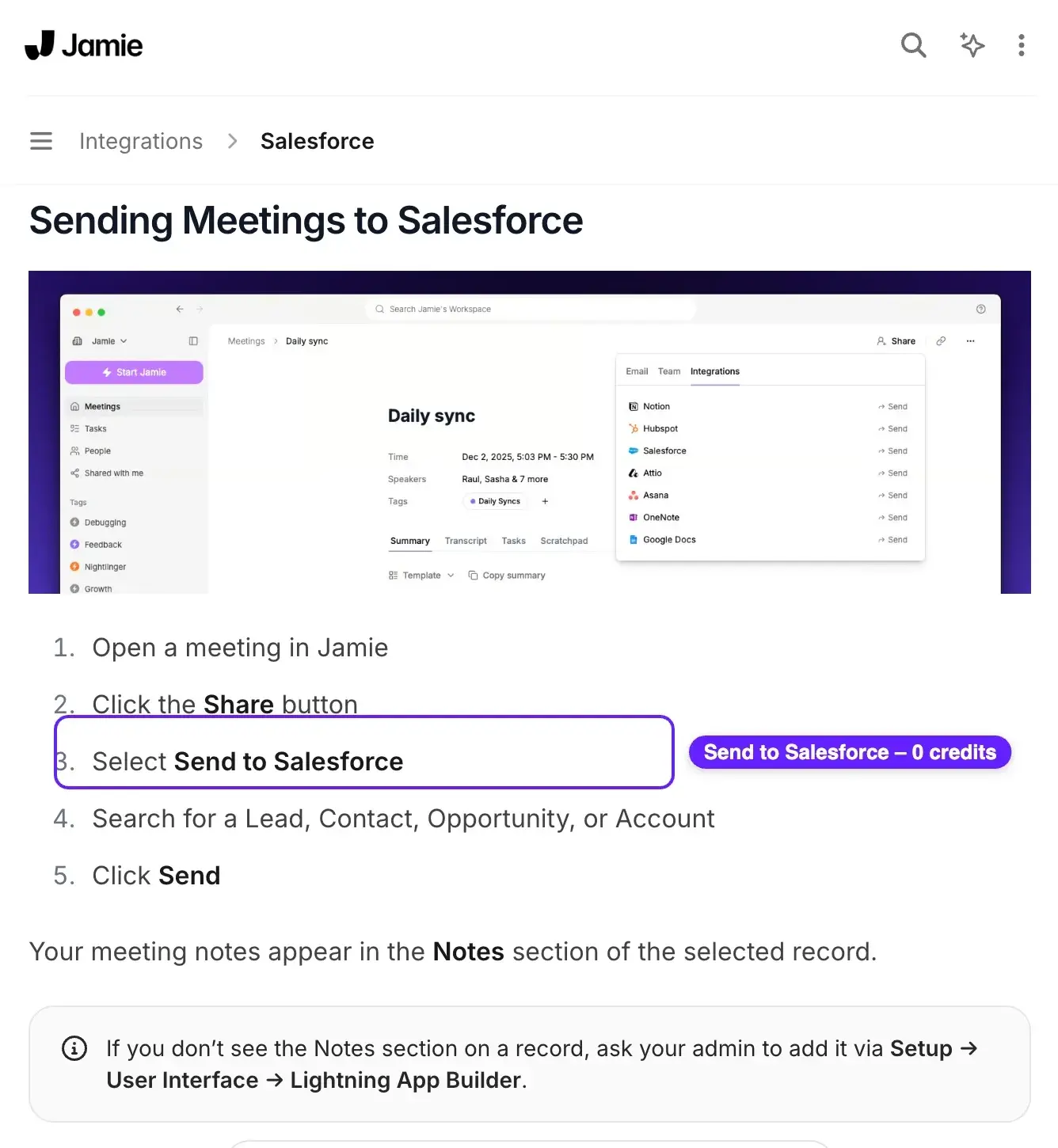
We connect natively to Attio, HubSpot, Dynamics 365, and Salesforce, which means there is never another layer of Zapier to slow things down.
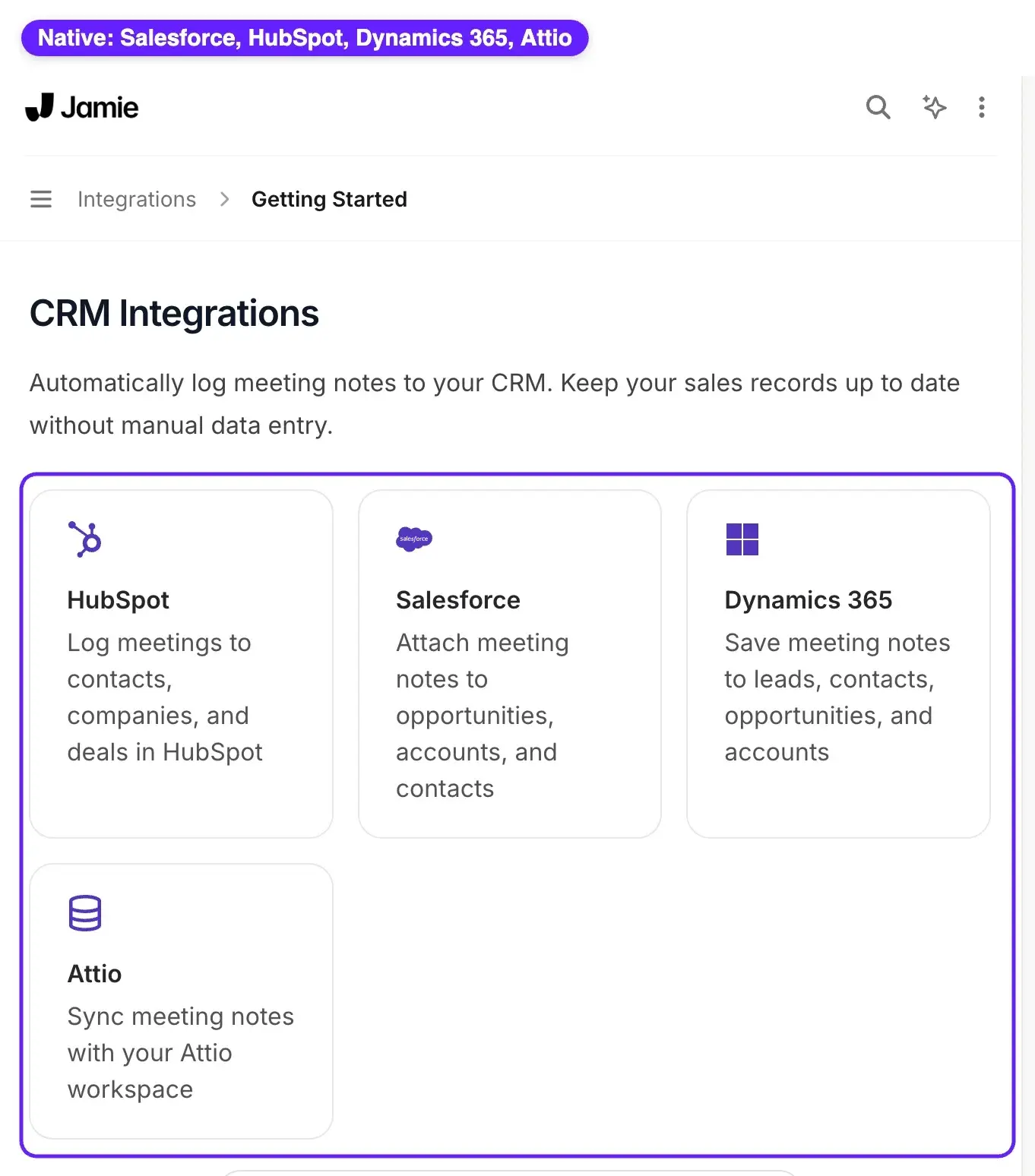
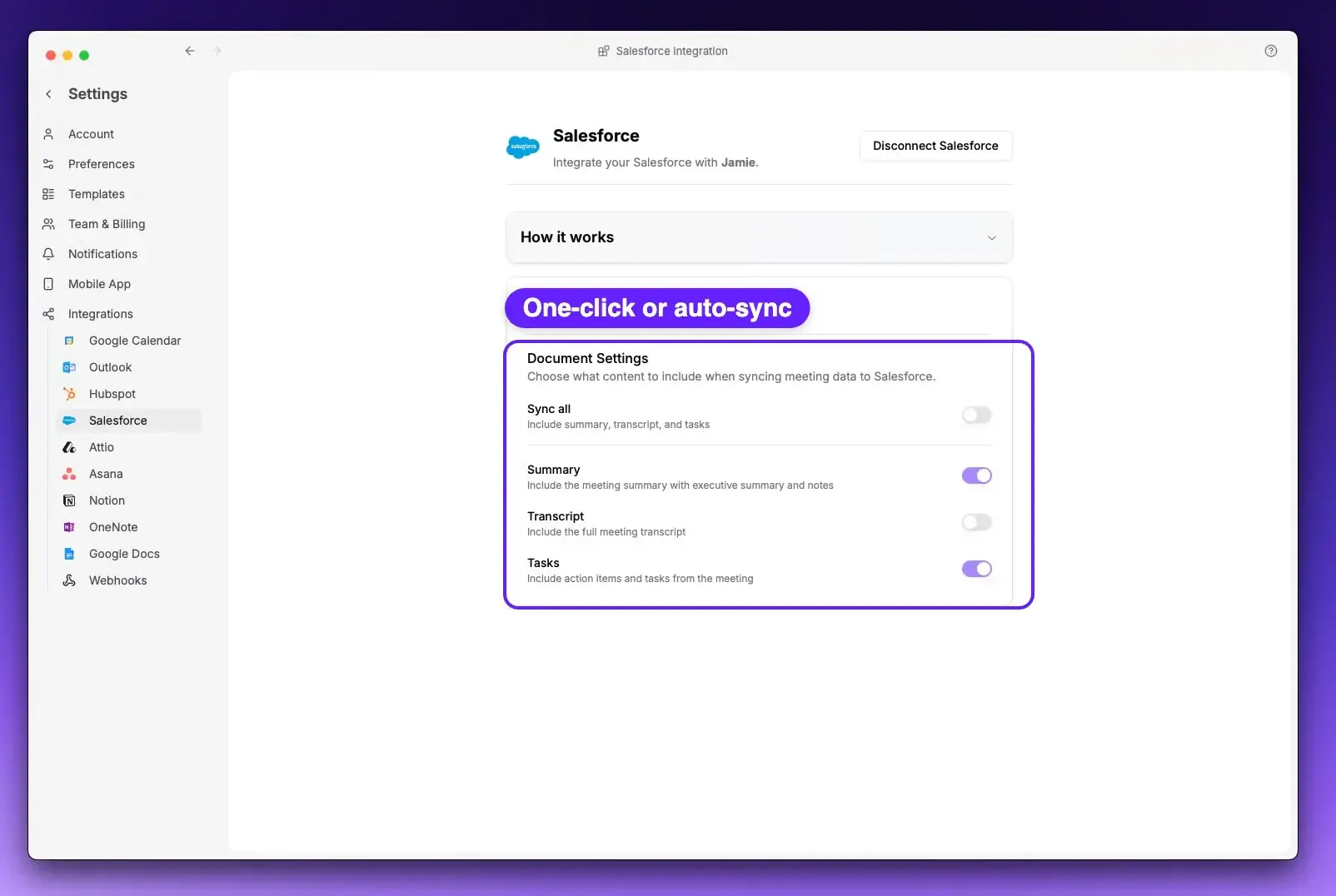
Each user can switch on auto-sync so new meetings flow into the CRM automatically. Or, any time you have a new meeting, you can push it straight into a CRM record in one click.
In addition to CRM, Jamie lets you bring many of your other productivity and collaboration tools into Ask AI. These include Notion, Gmail, Slack, Linear and GitHub, and you can use them as input sources or posting destinations without burning up any credits.
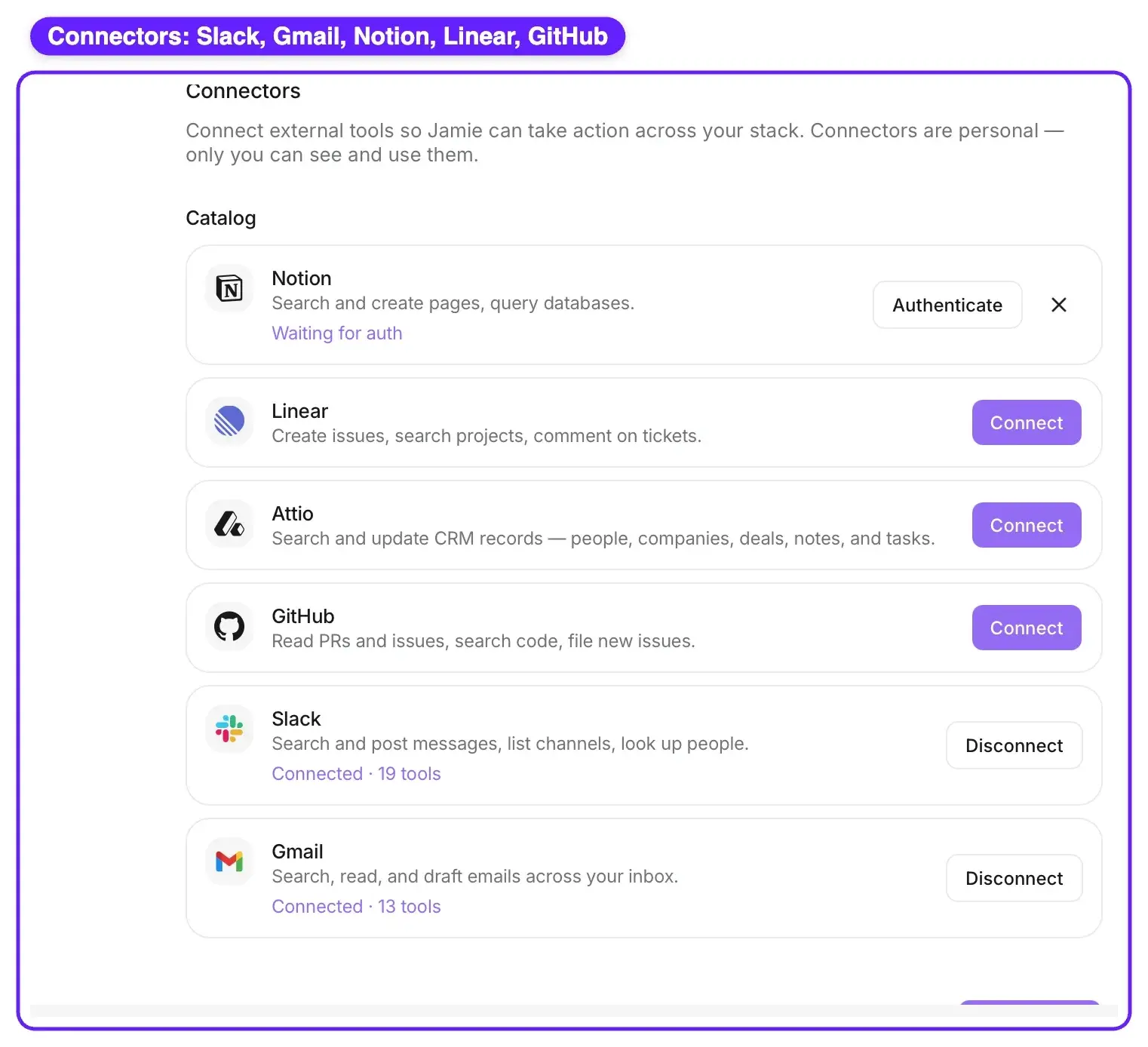
The connector options for all of these tools are available in all three paid tiers of Jamie, Pro, Team and Enterprise, and none of them require credits.
Users who want to link their meetings into Claude, ChatGPT, Cursor, or Copilot through MCP can do so.
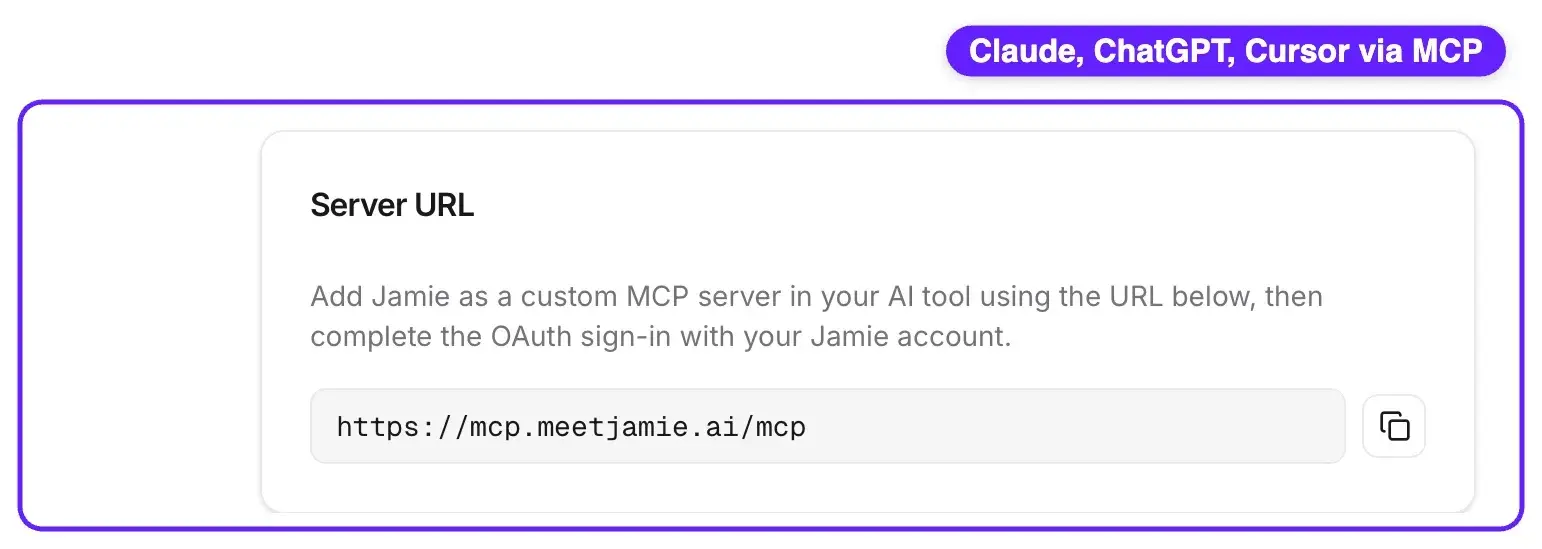
If you want to build your own workflow, we offer both a REST API and webhooks, so your meetings can integrate with any system your business runs on.
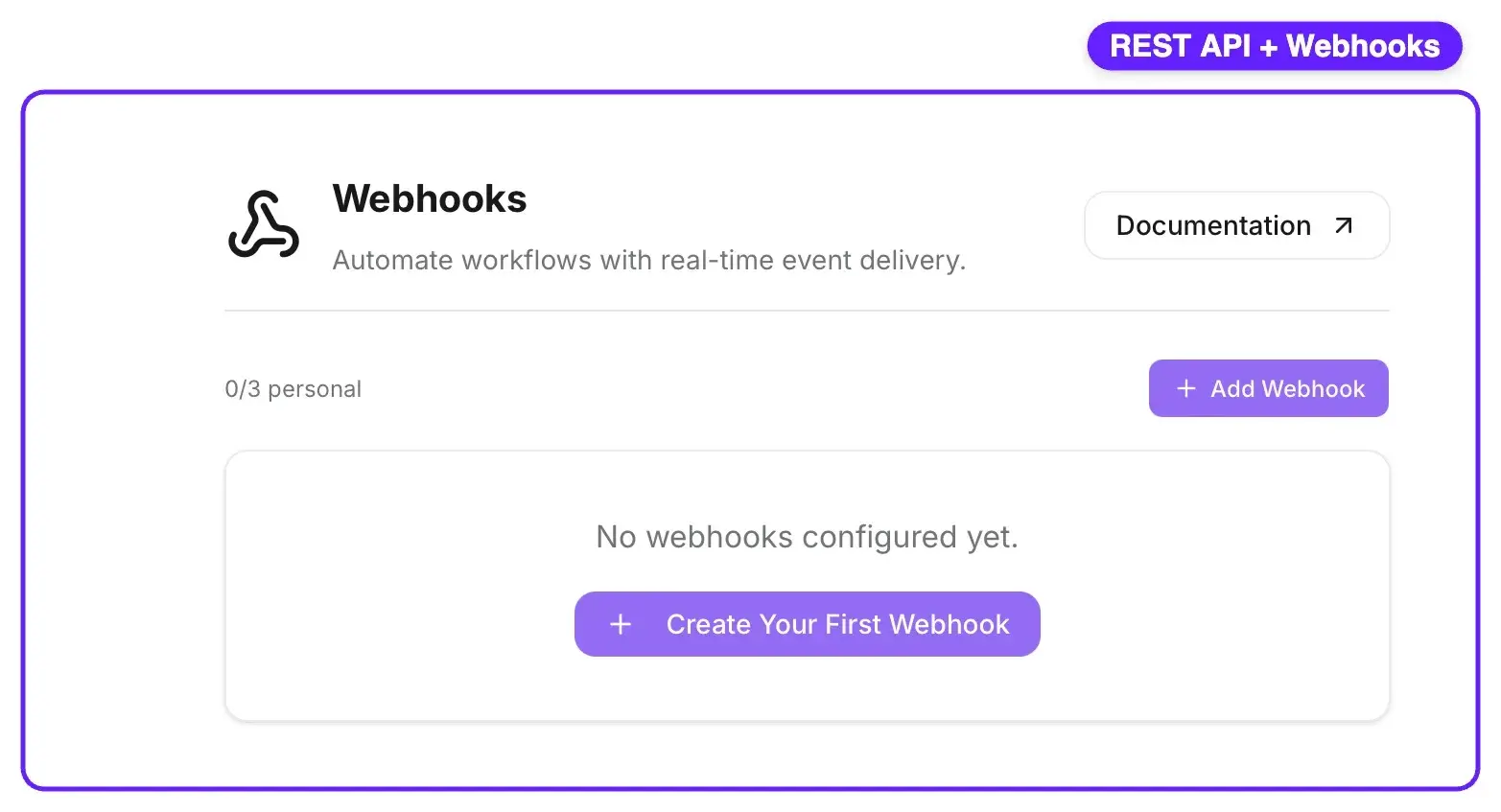
While Fireflies does integrate with over 100 different applications, the key difference here is the meter. When you use Fireflies to automate adding your meetings to a CRM or to connect your meetings to other AI workflows, you're burning up credits. When you use Jamie, you aren't.
If you left Fireflies because moving your notes where they belong kept costing credits, Jamie moves them for free.
Jamie's pricing plan
Free: €0
- 10 AI meeting notes a month, each with a full transcript and speakers labelled automatically.
- Every meeting runs up to 30 minutes.
- Talk to Ask AI unlimited, and we never charge a credit for it the way Fireflies does.
- Our speaker recognition and Speaker Memory outscored Fireflies in our hands-on test, 98 out of 100 versus 28. See the test.
- Automatic action items that intelligently detect who each one belongs to.
- 1 custom template.
- 50 custom vocabulary terms.
- Unlimited storage, while Fireflies caps how much your free plan can keep.
- Export your notes to Google Docs, Notion, and OneNote.
- A recording-consent email Jamie can send participants 24 hours before the meeting.
- Your data stays in Europe (EEA, Switzerland, UK) even on Free, something Fireflies keeps for its Enterprise plan.
- ISO 27001 certified and DORA compliant, certifications Fireflies doesn't carry at all, with SOC 2 Type II in progress.
- No bot joins your call (Fireflies' default is a visible bot, though it offers a bot-free mode too).
- Works on every platform, online and in person, in 100+ languages.
Plus: €25
Everything in Free, plus:
- 20 AI meeting notes a month.
- Each meeting runs up to 2 hours.
- 3 custom templates.
- Still unlimited Ask AI, still unlimited storage, still no credits.
Pro: €47
Everything in Plus, plus:
- Unlimited AI meeting notes.
- Each meeting runs up to 3 hours.
- Unlimited custom templates.
- Native CRM and work-app sync with Salesforce, HubSpot, Dynamics 365, Attio, Pipedrive, and Asana, manual or fully automatic, and it never spends a credit. On Fireflies, Autofill CRM costs an AI credit on every push and only connects to HubSpot.
- Advanced integrations and MCP: connect Ask AI to Slack, Gmail, Notion, Linear, and GitHub, plus external AI assistants like Claude, ChatGPT, and Copilot.
- Agent Skills, reusable AI instructions like a BANT qualification skill, that run without ever spending a credit. Fireflies runs comparable AI Skills on metered credits, one per run, per meeting.
- A REST API and webhooks to build your own workflows.
- Priority support.
Team: €39/seat
Everything in Pro, plus:
- Unlimited notes and transcripts up to 3 hours, per seat, at a lower per-seat price than Pro.
- 100 custom vocabulary terms.
- Shared templates and shared tags across your workspace.
- Team-share notifications.
- User management and admin controls.
- DealCloud logging, the deal CRM private equity and IB teams run on.
Enterprise: Custom
Everything in Team, plus:
- SSO (SAML 2.0: Okta, Microsoft Entra ID, Google Workspace, Auth0), enterprise security, and Data Processing Agreements (DPAs).
- Audit logs, an immutable record of who did what.
- Directory Sync and SCIM auto-provisioning.
- 250 custom vocabulary terms.
- Password-protected share links.
- Affinity logging, another deal CRM private equity and IB teams run on.
- A dedicated account manager.
- Customized consent notifications for participants.
- User analytics.
- Custom data retention policies.
- IP allowlist.
What real Jamie users say
What they love
- Bot-free capture, no awkward bot on the call.
"I like Jamie because it's a bot-free AI note-taker that can take notes without an awkward bot on the call." — G2
- Accurate transcription and well-organized summaries.
"The transcription is also usually very accurate. I also like the AI summaries it generates after the call - they're well laid out and organized, especially compared to other AI note-takers." — G2
- A lifesaver for multilingual meetings, even Hebrew.
"Finally an app that… Understands Hebrew. Jaime is also a life saver for: Multi lingual conversations [and] Offline and online meetings." — G2
What they flag, and how Jamie handles it
- Mic setup needed a tweak early on, now fixed.
"I had an issue before with recording the meeting notes because my microphone or something was not set up properly. But the latest update now grabs the meeting sounds with no extra configuration." — G2
The reviewer answered their own gripe: a later update made capture automatic, with no setup.
- Speaker identification isn't infallible.
"The speaker identification feature of Jamie, though very useful, isn't entirely reliable or infallible. In our experience, to get the most effective results from Jamie, it was necessary to invest in a good quality microphone." — G2
When Jamie is unsure, it hands you a short voice clip of each speaker to label in seconds, and Speaker Memory remembers those voices for every future meeting.
- A few rough edges, it's still young.
"There a few buggy things and missing integrations but Jaime is young and I have full confidence in what their future looks like. It's better than every other app I've tried." — G2
Even the critique ends as a recommendation, and Jamie ships new integrations and features constantly.
2. Otter
Source: Otter
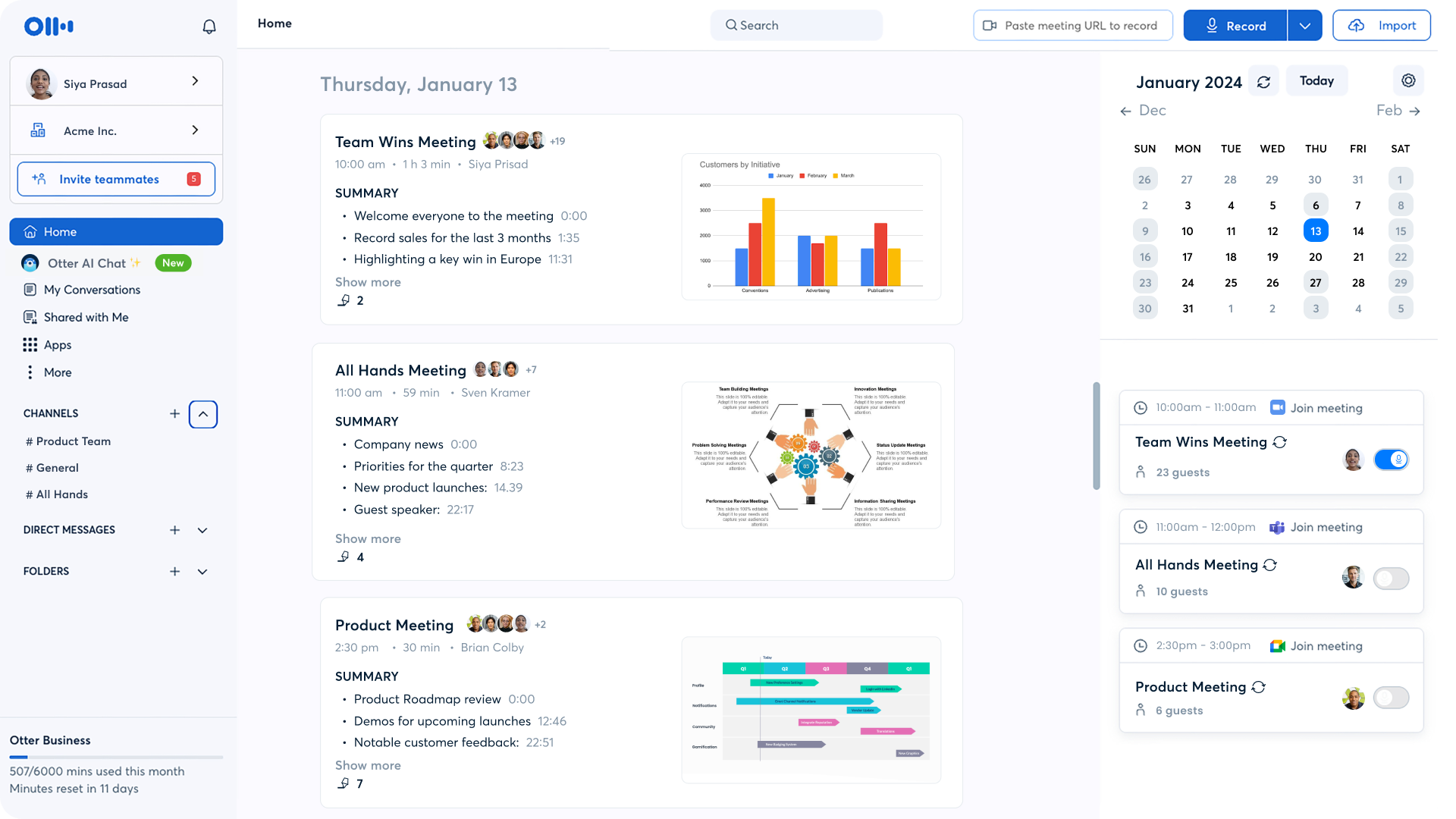
If you like reading along as people talk, Otter is hard to beat. Its live, real-time captions appear as each person speaks, which is why it's a favorite for lectures, interviews, team collaboration, and accessible meetings. Its OtterPilot assistant sits in on your calls, writes the notes, and answers your questions in Otter AI Chat.
Key Features
- Live transcription and captions: real-time transcripts across Zoom, Teams, and Google Meet.
- Speaker identification: attributes every line to the right participant automatically.
- AI meeting summaries: structured recaps and highlights generated after each call.
- OtterPilot: joins calls automatically, records, and captures notes with no manual setup.
- AI Agents: role-based agents for sales follow-ups, CRM sync, and lead qualification.
Pricing (billed monthly)
- Basic: Free (300 transcription minutes a month, 30-minute meetings, 3 lifetime imports)
- Pro: $16.99/user per month (1,200 minutes a month, 90-minute meetings)
- Business: $30/user per month (unlimited meetings, 4-hour meetings)
- Enterprise: Custom
What real Otter users say
What Otter users love
- Summaries that let you stop taking notes.
"The summaries from meetings are thorough and help me to just focus on what's being said instead of taking notes." — Capterra
- Set-and-forget transcription.
"I love the instant transcription feature and the fact that you can 'set and forget' Otter with your meetings" — Capterra
- Handy for in-person capture on your phone.
"Being able to use the Otter app to capture live, in-person conversations on the go was incredibly convenient for meetings outside the office." — Capterra
What Otter users flag
- Pricey if you do not connect other apps.
"It's also pretty pricey if you're not going to link it to other apps, which I don't." — Capterra
- Accents and background noise trip it up.
"Because of accents and background noise, the system often makes mistakes and fails to recognize speech correctly..." — Capterra
3. Fathom
Source: Fathom
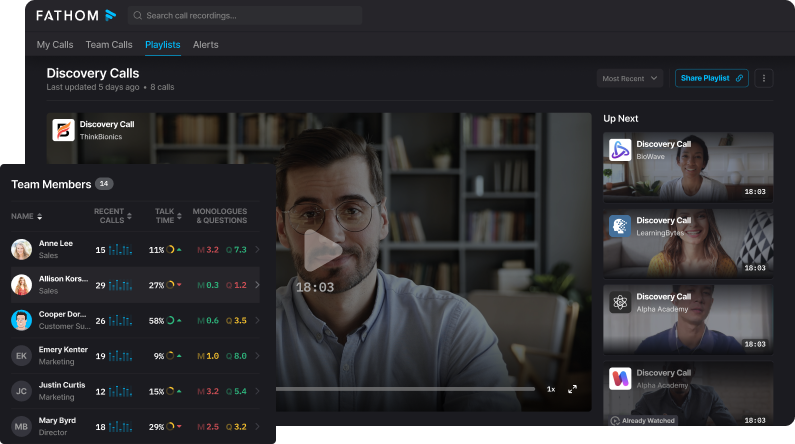
Fathom is popular for one big reason: its free tier is genuinely generous, which makes it the best free option for a lot of people. You get unlimited recordings, storage, and transcription at no cost, which is rare. And in 2026 it added bot-free capture, a desktop app, and ChatGPT and Claude integrations.
Key Features
- Free unlimited recording and transcription: capture, transcribe, and store every call at no cost.
- AI summaries with action items: structured recaps generated the moment a call ends.
- Ask Fathom: search your entire call history conversationally to surface any moment.
- CRM and tool sync: auto-pushes notes and action items to Salesforce, HubSpot, Slack, and Notion.
- Bot-free capture: records with no visible bot, new in Fathom's 2026 platform update.
Pricing (billed monthly)
- Free: $0 (unlimited recording, storage, and transcription)
- Premium: $20/user per month
- Team: $19/user per month (2-user minimum)
- Business: $34/user per month (CRM sync, deal view, coaching)
- Enterprise: Custom
What real Fathom users say
What Fathom users love
- A genuinely generous free plan.
"The free plan is super-robust!!! As a small business owner, this is my top priority." — Capterra
- Transcripts ready in minutes.
"Speed! Fathom will produce a transcript mere minutes after a call ends!" — Capterra
What Fathom users flag
- No way to upload audio files.
"One thing I wish Fathom did was give the ability to upload audio files to be transcribed." — Capterra
- No mobile app for in-person meetings.
"There is no app version of this AI Notetaker. An app version would make it easier to record in-person meetings without a PC present" — Capterra
4. Read AI
Source: Read AI
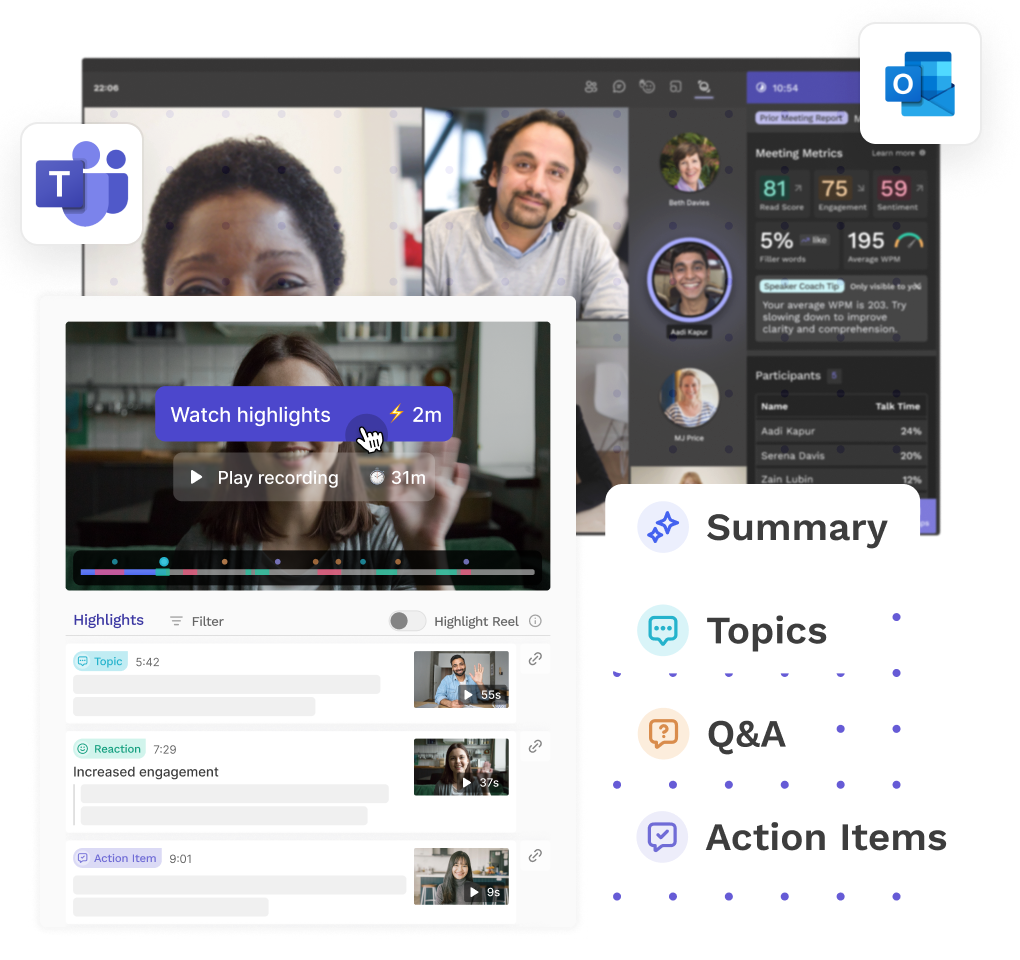
Read AI stands out for its real-time analytics. During a call it tracks sentiment, engagement, and how long each person talks. Its Ada assistant can answer questions, schedule meetings, and handle follow-ups across your meetings, emails, and chats.
Key Features
- Real-time transcription and summaries: live notes and recaps generated as the meeting runs.
- Meeting analytics: tracks sentiment, engagement, and talk time across every call.
- Speaker Coach: private coaching metrics and recommendations drawn from your past meetings.
- Enterprise search: finds answers across meetings, messages, emails, CRM, and documents.
- Ada digital twin: email-based AI that schedules, answers, and handles follow-ups (2026).
Pricing (billed monthly)
- Free: $0 (up to 5 meetings a month)
- Pro: $19.75/user per month
- Enterprise: $29.75/user per month (adds audio and video playback)
- Enterprise+: $39.75/user per month (5+ seats; HIPAA, SAML, SCIM)
What real Read AI users say
What Read AI users love
- Clear meeting overviews and summaries.
"Provides great overviews and summaries of meetings held" — TrustRadius
- Insight into how people show up in meetings.
"Provides valuable insight into personal traits during meetings" — TrustRadius
What Read AI users flag
- Some integrations could be stronger.
"Some intergrations could perform better" — TrustRadius
- Wants more pricing options for smaller teams.
"More pricing options for SMME's" — TrustRadius
5. Gong

Source: Gong
Gong is not really a note taker at all. It is a revenue and meeting intelligence platform built for revenue teams, recording and analyzing your calls to surface deal risk, coaching moments, and forecast trends across your whole pipeline. If you left Fireflies because you needed deeper sales analytics, this is the heavyweight.
Key Features
- Conversation recording and analysis: captures calls and reads 300+ signals in each one.
- Deal and pipeline intelligence: surfaces deal risk and forecasts across your whole pipeline.
- Coaching insights: flag coaching moments and objection patterns for reps to improve.
- Forecasting: predicts which deals will close, with accuracy improved across 2026.
- Gong Assistant: 2026 AI agent that reviews calls, coaches reps, and answers questions.
Pricing
No public pricing; custom quote only. Reported per-user licenses run roughly $1,400 to $3,000 per user a year, plus a reported platform fee (about $5,000 to $50,000 a year). These figures are reported by third parties; Gong does not publish prices.
What real Gong users say
What Gong users love
- Deep call analytics and coaching.
"Gong is top quality when it comes to call analytics and support. I can easily discover the "good" and the "bad" of calls, discover more about talk ratio, and the videos are easily sharable to help with collaboration." — Capterra
- A fast way for new reps to ramp.
"Being fairly new to my role, Gong has helped me immensely by allowing me to listen to and review multiple calls of my colleagues to gain an in-depth understanding of what works and what doesn't work in my role when speaking with clients." — Capterra
- Big time savings on CRM updates.
"Time savings to the nth degree - it used to take so long to go deal by deal to update my CRM deals." — TrustRadius
What Gong users flag
- Expensive for what it does.
"It's a little bit expensive for everything it do." — Capterra
6. Avoma
Source: Avoma
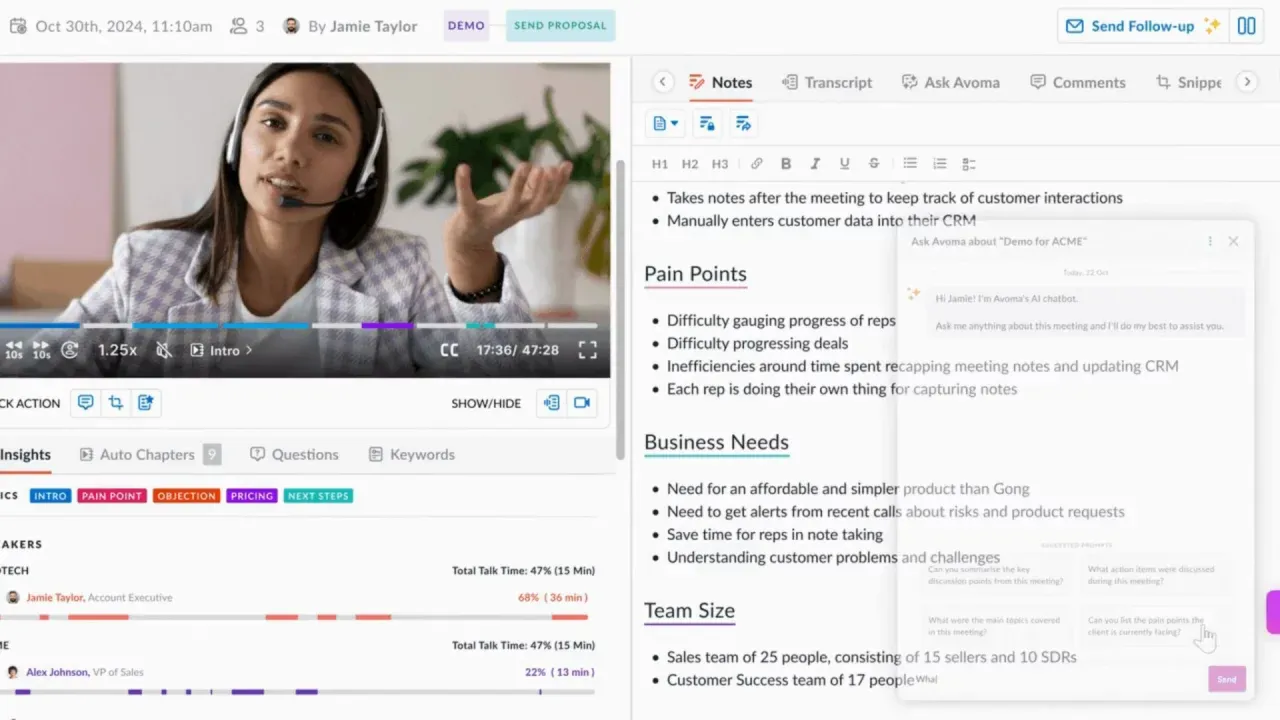
Avoma is an all-in-one meeting management tool for sales and customer success teams. It records, transcribes, and summarizes your meetings, updates your CRM automatically, and even throws in a built-in scheduler. Its Ask Avoma copilot answers questions across your whole meeting history.
Key Features
- AI meeting assistant: transcribes in 75+ languages, writes notes, and updates your CRM automatically.
- Built-in scheduler: booking, round-robin, and lead routing without a separate tool.
- Conversation intelligence: call scoring, coaching insights, and custom keyword trackers.
- Revenue intelligence: deal-risk alerts, MEDDIC and BANT scoring, and pipeline forecasting.
- Ask Avoma: copilot that answers questions across your entire meeting history.
Pricing (billed monthly)
- Startup: $29/user per month (up to 25 seats)
- Organization: $39/user per month (up to 100 seats)
- Enterprise: $39/user per month (annual billing, 10-seat minimum)
- No free plan (14-day free trial)
What real Avoma users say
What Avoma users love
- Rewatch calls so nothing slips.
"being able to go back and watch my calls again to make sure I catch everything" — TrustRadius
- Transcripts make review easy.
"the transcript is so helpful to review the conversation and catch any missing details" — TrustRadius
What Avoma users flag
- The interface can feel busy.
"I think the interface is a little bit busy." — TrustRadius
- Speaker tagging needs work.
"Transcription needs improvement. Especially tagging the person properly with the statements" — TrustRadius
Also read: 10 Best Avoma Alternatives & Competitors in 2025
7. MeetGeek
Source: MeetGeek
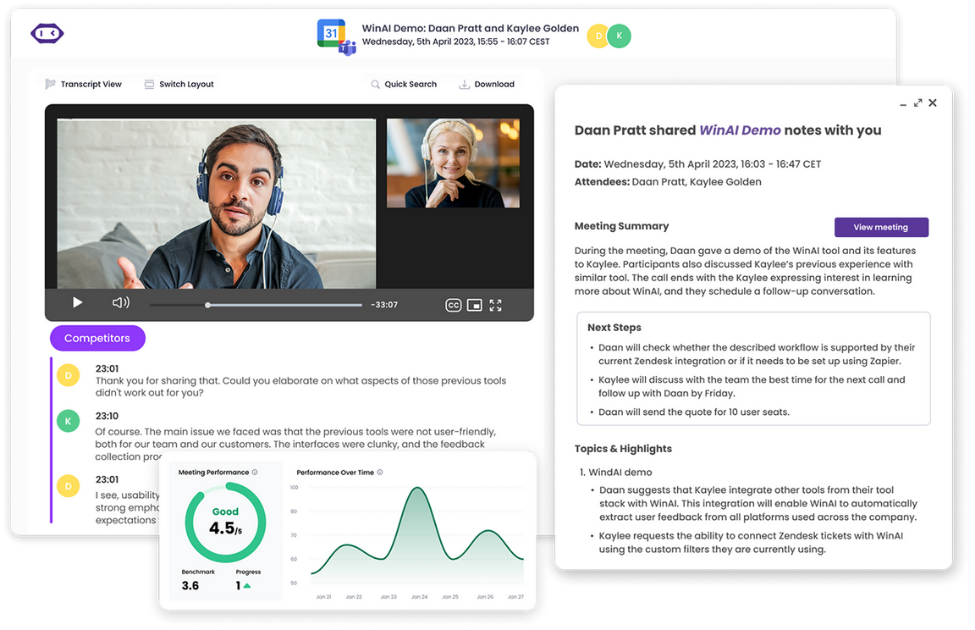
MeetGeek is a strong pick if you want a lot on a free plan. It records, transcribes in 100+ languages, and writes summaries with action items, and it can capture meetings without a bot through its Chrome extension or desktop app. In 2026 it added AI Agents, a live Copilot mode, and Voice Agents.
Key Features
- Transcription in 100+ languages: automatic language detection, with summaries in 50+ languages.
- AI summaries with next steps: recaps, topic timelines, and action items after each call.
- Bot-free recording: capture locally via Chrome extension or desktop app, no bot in the call.
- Meeting analytics and AI Chat: sentiment and engagement scoring, plus Q&A across your meetings.
- AI Voice Agents: custom agents that join, listen, and speak, in Copilot or Delegate mode (2026).
Pricing (billed monthly)
- Basic: Free (3 hours of transcription a month)
- Pro: $15.99/user per month (20 hours a month)
- Business: $27/user per month (unlimited transcription and storage)
- Enterprise: Custom
What real MeetGeek users say
What MeetGeek users love
- Exceptional, easy transcription.
"The transcription feature is exceptional and incredibly user-friendly for virtual meetings with clients." — Capterra
- Becomes daily critical infrastructure.
"I consider Meetgeek critical infrastructure in my business, and it has saved my tail more times than I can remember." — Capterra
- Fantastic video-meeting transcripts.
"Their transcripts of video meetings are really fantastic!" — Capterra
What MeetGeek users flag
- Occasional word errors to fix by hand.
"A small example is that sometimes the software doesn't pick up on words correctly and these need to be manually edited from the transcript afterwards." — Capterra
- Transcription is sometimes off.
"Sometimes, the transcription is inaccurate." — Capterra
8. Plaud

Source: Plaud
Plaud is different from everything else on this list: it is a wearable device, not software. You wear the NotePin or carry the card-style Note to capture in-person meetings, from the conference room to conversations on the go, and the app then transcribes and summarizes them. It is built for people whose meetings happen face to face.
Key Features
- Wearable capture: NotePin, NotePin S, and Note Pro record calls and in-person conversations.
- Transcription in 112 languages: instant AI transcripts from anything the device records.
- Summary templates: build your own or pick from thousands of ready-made industry templates.
- Multimodal input: add text, images, and highlights for richer summaries in the app.
- Latest AI models: summaries powered by the newest GPT, Claude, and Gemini models.
Pricing
- Device (one-time): NotePin $159, NotePin S $179, Note Pro $189
- Subscription (billed monthly): Starter free (300 minutes a month), Pro $17.99 a month (1,200 minutes), Unlimited $29.99 a month
What real Plaud users say
What Plaud users love
- The best at catching fleeting thoughts.
"This is without a doubt the best product I have ever encountered for that purpose." — App Store
- Turns talk into organized formats fast.
"Plaud quickly synthesizes input into smart, organized, and useful formats." — App Store
What Plaud users flag
- Costly, and the charger is easy to lose.
"The cost is quite high. The charger is obscure and hard to source if lost." — App Store
- Recording does not always start first try.
"It sometimes takes a couple tries to get recordings going." — App Store
9. Krisp

Source: Krisp ai
Krisp began as the best AI noise-cancellation tool around and has grown into a full meeting assistant. It records and transcribes without a bot, cancels background noise and echo in real time, and writes up AI notes and action items. These days it has iOS and Android apps too.
Key Features
- AI noise cancellation: removes background noise, echo, and crosstalk locally on your device.
- Bot-free meeting notes: transcribes and summarizes across Zoom, Teams, Meet, and Slack, no bot.
- High-accuracy transcription: up to 96% accurate across 16+ languages.
- Accent conversion: softens accents in real time for clearer communication and cleaner transcripts.
- iOS and Android apps: record in-person meetings and review summaries on mobile.
Pricing (billed monthly)
- Core: $16/user per month (bot-free notes, unlimited transcription, noise cancellation, 10 GB)
- Advanced: $30/user per month (more accent conversion, 60 GB)
- Enterprise: Custom (SSO, SOC 2, HIPAA)
- Free plan covers noise cancellation only (about 60 minutes a day)
What real Krisp users say
What Krisp users love
- Noise cancellation that beats hardware mics.
"Krisp filters out even the most noisiest sounds. It does a better job than most noise cancelling microphones." — Capterra
- Accurate notes, and plays nicely with video tools.
"The noise cancellation feature works well and the AI meeting transcription is accurate. It integrates nicely with popular video conferencing tools." — Capterra
- Simple, and kills background noise.
"Super easy to use, great at eliminating background noise." — Capterra
What Krisp users flag
- The old free tier was removed.
"They removed their free tier which used to include 60 free minutes per day. This was a huge selling point and what attracted me to the product in the first place." — Capterra
- Pricey for an individual.
"It is very expensive for an individual. The pricing starts from 12$ a month, which is quite high after conversion to my currency." — Capterra
Also read: Krisp vs Jamie AI: Which Tool Offers Better Meeting Transcription?
10. Sembly
Source: Sembly
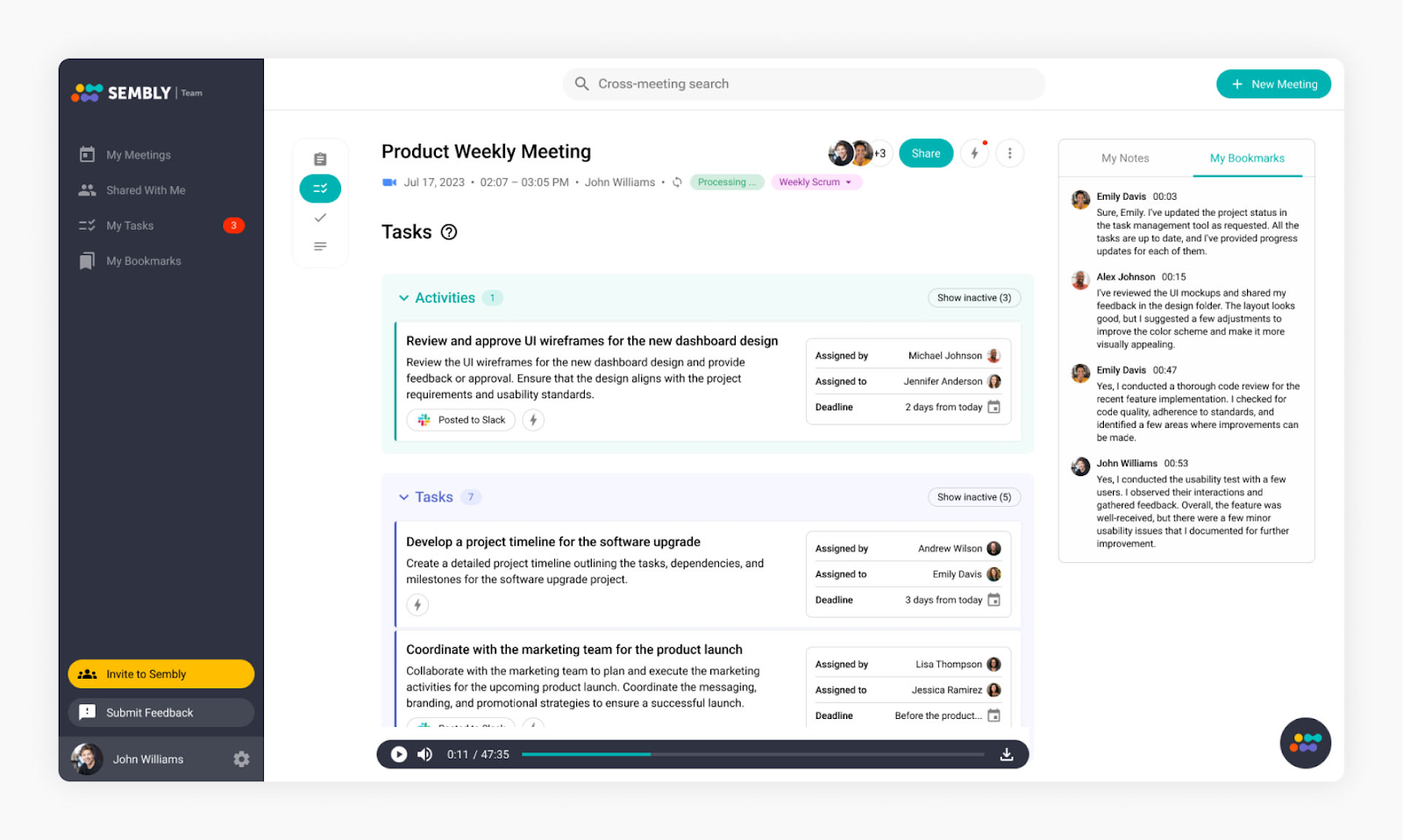
Sembly is built for teams that want insights across many meetings, not just one, and a way to act on everything that gets said. Its Semblian AI chat answers questions across your whole meeting history, and it can auto-draft AI reports, documents, and proposals straight from your calls.
Key Features
- Automated meeting notes: transcribes in 48 languages with speaker identification across Zoom, Teams, Meet, and Webex.
- Glance Cards: structured cards for decisions, tasks, risks, and numerics, each timestamped.
- Semblian AI chat: query insights across your whole meeting history by keyword, speaker, or topic.
- AI Artifacts: auto-generate proposals, project briefs, and reports straight from calls.
- Task automation: extracts action items and syncs them to your project tools.
Pricing (billed monthly)
- Basic: $17/user per month
- Pro: $29/user per month (multi-meeting AI chat, unlimited video)
- MAX: $39/user per month (HIPAA, HD video, custom SSO)
- Enterprise: Custom
- No free plan (7-day trial)
What real Jamie users say
What Sembly users love
- Handles multiple meetings at once.
"Includes the option to have multi-meetings." — TrustRadius
- A full transcript of everything said.
"Provides a transcript of everything said during the meeting." — TrustRadius
- Summaries for easy recap and follow-up.
"Provides summaries for easy recap and follow up." — TrustRadius
What Sembly users flag
- Summaries are not always perfect.
"The summarizing notes are not always perfect, this could be improved." — TrustRadius
- Navigation is not intuitive for new users.
"Navigation around the platform is not as intuitive as it could be for new users." — TrustRadius
So what is the best Fireflies alternative?
The best Fireflies alternative really comes down to what made you start looking in the first place.
- Need deep sales analytics? Gong fits.
- Most of your meetings happen in person? Plaud's wearable is one of a kind.
- Chasing a generous free plan? Fathom and MeetGeek stand out.
- And if what's really bugging you is AI credit limits, a bot barging into your calls, and where your data ends up, that's exactly what Jamie was built for: unlimited Ask AI with no per-use credits, no bot in the call, with a generous free plan and a generous paid plan, and all your data kept in Europe.
Whatever you land on, you now have the current facts to switch with confidence.
Related reading
- Still deciding between Jamie and Otter's live captions? See Otter vs Jamie side by side.
- Tempted by Fathom's free plan? Read Fathom vs Jamie before you commit.
- Need the sales analytics heavyweight instead? Here's how Gong compares to Fireflies.
- Weighing Avoma for sales and CS? Compare Avoma vs Jamie first.
- Chasing the most generous free plan? Start with our MeetGeek alternatives roundup.
- Comparing bot-free note takers head-to-head? See Granola vs Superpowered vs Krisp vs Jamie.
- Left Fireflies because of the bot? Here are the top bot-free Fireflies alternatives.
- Care most about where your data lives? Read our Fireflies alternatives in Europe guide.
FAQs on the best Fireflies alternatives
What is the best Fireflies alternative in 2026?
It really depends on what you need. For privacy and no AI-credit limits, Jamie is a strong pick. For sales intelligence, it's Gong. For a generous free plan, Jamie and Fathom. For in-person meetings, Jamie and Plaud. This guide walks through all 10, so you can match one to whatever frustrated you about Fireflies.
Why do people look for a Fireflies alternative?
The most common reasons are simple: running out of AI credits, not wanting a bot to join every call, wanting meeting data kept outside the US, and worries about price or accuracy.
Is there a free Fireflies alternative?
Yes, several. Fathom offers unlimited recording and transcription for free, MeetGeek gives you three hours a month, and Otter includes 300 minutes a month. Jamie's free plan gives you 10 meetings a month with unlimited Ask AI and no per-use credits.
Which Fireflies alternative is best for privacy?
Jamie. It keeps all data storage and processing in Europe (the EEA, Switzerland, and the UK) on every plan, is ISO 27001 certified and DORA compliant, and never trains AI on your conversations.
Which Fireflies alternatives record without a bot?
Jamie records with no bot at all. Krisp and Avoma also record without one, and Fathom, MeetGeek, and Read AI offer bot-free options. Otter, Gong, and Sembly, on the other hand, use a meeting bot by default.
Sanduni Yureka is a Growth Content Editor at Jamie, known for driving a 10x increase in website traffic for clients across Singapore, the U.S., and Germany. With an LLB Honors degree and a background in law, Sanduni transitioned from aspiring lawyer to digital marketing expert during the 2019 lockdown. She now specializes in crafting high-impact SEO strategies for AI-powered SaaS companies, particularly those using large language models (LLMs). When she’s not binge-watching true crime shows, Sanduni is obsessed with studying everything SEO.
![Granola vs Superpowered vs Krisp vs Jamie: Which Bot-Free Notetaker Is Best? [2025]](https://assets.meetjamie.ai/payload/Granola_vs_Superpowered_vs_Krisp_vs_Jamie_Which_Bot-Free_Notetaker_Is_Best_2025-s6hbm3.png?2025-09-26T09%3A43%3A46.272Z)